
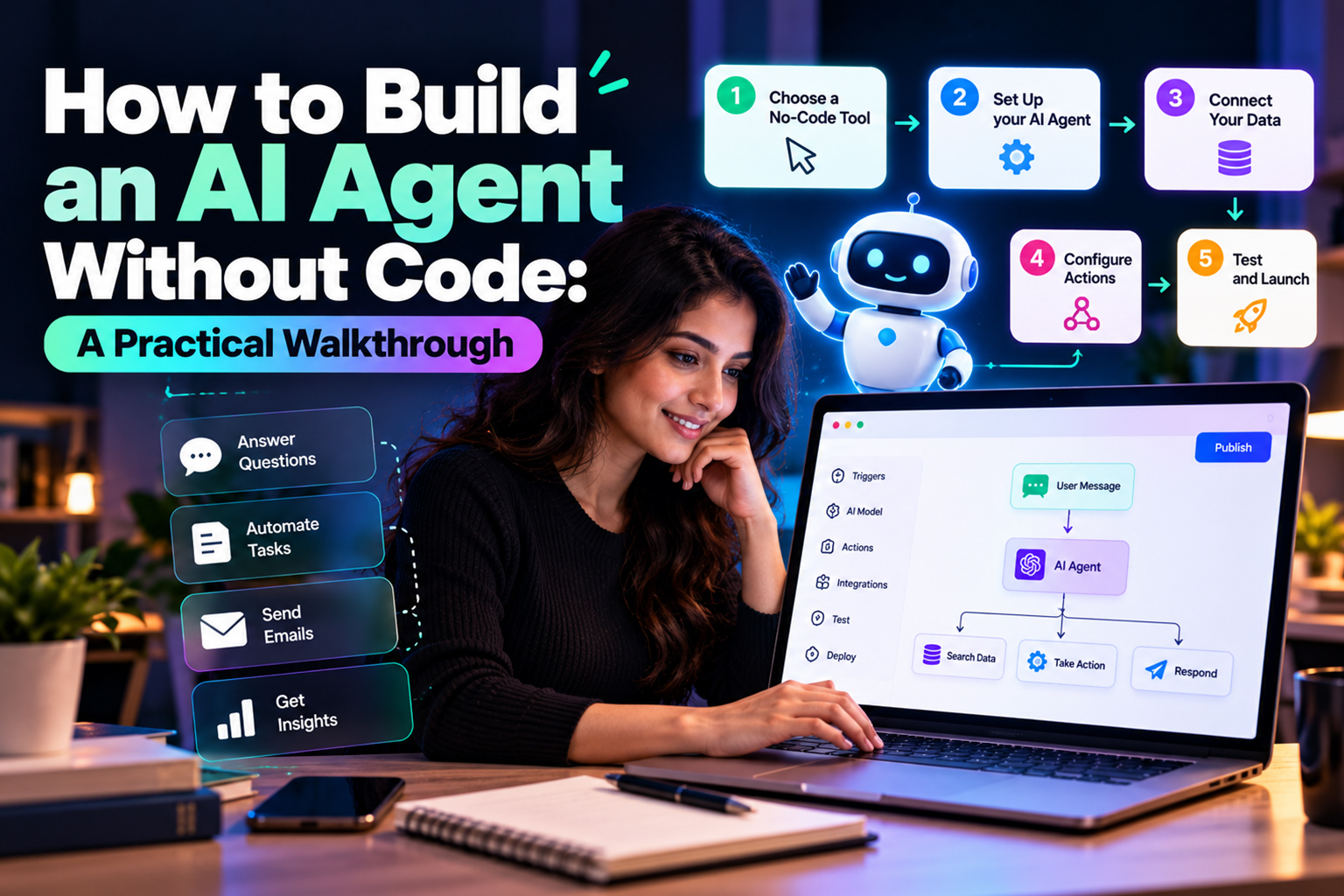
AI tools for small business are finally strong enough that you can hand real tasks to an agent without writing code. That matters if you run a one person or small team operation and want repeatable work handled, not another shiny chatbot no one uses.
Here we will keep it practical so you see what an agent is in plain terms, where it fits in a small operation, how to build a simple one with no code, what it usually costs to run and the traps to dodge so you do not burn time and budget. We went through this in more detail in Stop Wasting Time on Client Onboarding.
Who This No Code AI Agent Setup Is For
If you are asking yourself can I build an AI agent without codingyou are exactly who this guide is written for. You do not need a developer, but you do need to be comfortable poking around in web apps, connecting tools and testing flows that fit the way you already work with ChatGPT Prompts for Small Business Owners (Copy-Paste Ready).
Owners who have already experimented with ChatGPT or copied prompts from guides rarely need help clicking the buttons. They need help choosing where an agent fits next to stacks like AI Tools for Freelancers so the thing earns its keep instead of becoming one more tool in the drawer.
What An AI Agent Can Actually Do
Before you toggle any settings, you need to be clear on what can an AI agent actually do inside a small business. In this context, an agent is just an AI model wrapped in rules, memory and actions so it can take a narrow, repeatable task off your plate.
For a solo operator, the best early use cases look boring from the outside. Think inbox triage and client intake questionnaires, or reformatting content for different channels while you pull in image support from shortlists such as Free AI Image Generators when you need fast visuals.
Good And Bad Tasks For Your First Agent
Good candidate tasks are repeatable and written, with clear inputs and a clear definition of done. A simple example is turning a filled client form into a structured brief plus a draft email you can edit and send, which pairs well with basic ai automation tools you may already have in place.
Bad first tasks are open ended or high risk, like full tax advice or unreviewed legal replies where an AI mistake creates real problems. For that kind of work, plain automation and checklists usually beat fancy agents, and you are better off keeping a human firmly in charge.
Picking The Right Tools
Most no code agents you build this year sit on top of a general language model and a workflow builder. Think ChatGPT style models combined with a tool similar to Zapier or Make, or native automation inside focused stacks you see in ai tools for solopreneurs.
If you already use a project manager or CRM with built in automation, check that first. Then fill the gaps when you need images or other media with tools you know from roundups such as AI Tools for Freelancers instead of buying into a giant suite you barely touch.
Planning Your First No Code Agent
The worst mistake we see is people starting from the tool instead of the job. Sit down and write one short paragraph about the job you want handled, then list the inputs, outputs and where it plugs into your day so you can see how it supports your broader ai automation for small business plans.
For example, if you want intake automation, note where leads come from, which questions you really need answered and where that data should land. That kind of simple mapping stops you from wiring an impressive looking flow that saves no time because it never touches your real bottleneck.
Define A Narrow Job To Be Done
A narrow job might be “read new inquiry emails, tag them by type, extract contact details and draft a reply that asks three follow up questions”. That is small enough to test yet big enough to feel like real help, and you can even reuse phrasing you have already used in client onboarding flows such as those in Stop Wasting Time on Client Onboarding.
If you cannot describe the job in one sentence, you are probably trying to cram two agents into one. Split it cleanly, then build the simplest version first so each agent has one clear win instead of five fragile half wins.
Map Inputs, Outputs And Tools
Once the job is clear, write three short lists for yourself. Note where the data comes from, what the agent needs to produce and which apps already hold that data so you do not pay twice for the same function that comes bundled with many Best AI Tools by Use Case.
Plenty of small operators already own half the stack because they tried different ai tools for solopreneurs over the last year. Use what you are already paying for before opening yet another tab to compare subscriptions from scratch.
Building A Simple No Code AI Agent
Here is a clean pattern for a first build, assuming you have access to a general AI model and a workflow tool. Do not worry about perfection, you will adjust later based on real outputs instead of guessing.
Start by building the plain automation without AI. For instance, grab new form submissions, send them to a Google Sheet and ping your inbox, a pattern that works well beside other simple flows you may already run with ai automation for small business.
Step 1: Create Your Prompt And Rules
Inside your AI tool, set up a custom assistant or agent with a clear role. Explain who you are, who your clients are, what tone you want and what must never be promised so the agent does not drift into claims you would never write yourself.
Then add worked examples. If you regularly send similar onboarding emails or briefs, you can pull some from your archive or from resources like the detailed flows in Stop Wasting Time on Client Onboarding and adapt them so the agent sees exactly what a good output looks like.
Step 2: Connect Triggers And Actions
In your automation tool, pick a clear trigger event such as “new form submission” or “new email with contact form subject line”. That keeps the agent from waking up at random times and also makes it easier to trace problems if something goes wrong.
Next, wire actions for where the AI output should go, such as creating a document, adding rows to a spreadsheet or drafting a reply that always lands in your drafts folder instead of sending directly, a pattern many ai tools for small business support now.
Step 3: Test Fast, Then Tighten
Once things connect, run real data through it and read every output. Expect some junk in the first ten runs, then fix it by tightening prompts and giving clear formatting expectations that match how you already talk to clients.
After a few passes, your agent should handle most of the grunt work on that task. You should only be correcting edge cases, not rewriting from scratch, and if you spot drift later you can trace it back to the last change you made.
Costs: What It Takes To Run An Agent
People often ask bluntly, how much does it cost to run an AI agent for a small business. The honest answer in 2026 is that most small setups land somewhere between a cheap software subscription and a very part time assistant on your books.
Think about three buckets of spend. You will have the AI model subscription, the automation tool or platform fee and whatever you already pay for the apps that supply the data, which is why we keep pointing readers to focused roundups such as ai tools for small business instead of stacks full of half used enterprise suites.
Keeping Your Monthly Costs Under Control
If cost stress is high, start with tools that have transparent usage based pricing and firm limits rather than ones that bundle everything into a single steep fee. Then set a calendar reminder once a month to review usage against outcomes so you can cancel what is not pulling its weight.
For a solo or micro team, the real waste is often ten overlapping tools where three would do. Curated stacks such as Free AI Image Generators are useful as a reference point when you prune because they show how people stack focused tools without paying for overlap.
Common Mistakes With No Code Agents
New builders tend to overcomplicate version one. They try to give the agent too many powers and end up with a brittle setup that fails in strange ways just when they start trusting it.
A healthier pattern is to ship a boring, narrow agent, then expand slowly, the same way you would add one more item at a time to a stack from Best AI Tools by Use Case instead of buying everything in sight on day one and never learning any of them properly.
Relying On The Agent For Final Output
Another mistake is letting the agent send emails or documents directly to clients without a human glance. That is fine for internal summaries, but risky for anything client facing where tone and detail matter.
Keep a human in the loop by sending drafts into a review folder or queue and only flipping the switch to auto send once you have months of consistent, low risk performance that matches how you would write the same message yourself.
Ignoring Data Privacy And Access
Small businesses often forget that an agent can only touch what you grant it access to. If it sits inside one inbox but deals with leads coming from three channels, it will miss things and you will not notice until a client quietly disappears.
Before you turn anything on, check who owns the data, where it is stored and who else in your team, if anyone, can see what the agent sees, a quick review that should sit beside other checks you make when you adopt new Canva AI vs Adobe Express style tools for client work.
Conclusion
Building a simple agent on top of ai tools for small business is less about clever features and more about choosing one small job and wiring it carefully. When you plan the workflow, test hard and watch costs, you end up with a quiet assistant that saves real hours instead of another dashboard to babysit.
If you are ready to sketch your first agent and want a second brain on the plan, reach out through the Contact Us page and we can look at what makes sense for your setup at The AI Solo.
Frequently Asked Questions
Q1. Can I really build an AI agent with no coding skills?
Ans. Yes, as long as you are comfortable using web apps and following step by step interfaces, you can build a basic agent. Most current tools give you forms, dropdowns and drag and drop flows instead of raw code. The harder part is designing a clear job for the agent, not the technical setup.
Q2. What is the best first task for a small business AI agent?
Ans. The best first task is something you already do often, in writing, with clear inputs and a clear end state. Examples include turning form fills into formatted notes, tagging and routing inquiries or drafting routine replies you always edit anyway. Picking a low risk, boring task lets you learn without stress.
Q3. How long does it take to set up a simple AI agent?
Ans. A focused first build usually fits into an afternoon once you know the job you want the agent to handle. Expect to spend more time over the next week reviewing outputs and refining prompts than on the initial wiring. The setup is quick, the tuning happens over real use.
Q4. Do I need to train my own AI model for an agent?
Ans. No, small businesses almost never need to train their own base model for a useful agent. Most people get better results by using a general model and giving it clear instructions, examples and maybe a small private knowledge base of their own content. Custom training is expensive and overkill for routine admin tasks.
Q5. How do I know if an AI agent is worth the cost?
Ans. The simplest check is hours saved versus money spent over a month or two. If you can honestly say you are skipping whole blocks of manual work because the agent handles them, the tool is pulling its weight. If you keep defaulting back to doing the task by hand, it is time to simplify or shut it off.
Q6. Can an AI agent talk to my existing tools like email and CRM?
Ans. Many current platforms connect to common email providers, CRMs and form tools through built in integrations or via general automation services. Before signing up, check the integrations list for your exact stack. If a tool does not connect where you work already, it will be hard to justify in practice.